Grove’s software factory
Coding agents sped up the writing of code, not the factory. Below we outline the main bottlenecks we have seen and what we have done to mitigate them.
 Rob Yates · 9 min read
On this page
In May 2026 I joined Grove, a small startup using AI to help product leaders define what to build. It has a development team of three: me, the CTO, who also writes code, and two proper engineers.
This post will outline Grove’s software factory and introduce the techniques and technologies that we use to deliver a quality product at high velocity. Each of these techniques has been introduced to alleviate a bottleneck that we have seen.
Some of these approaches will have follow-on posts that dive into greater detail on what they are and how we use them. The goal of all this is twofold.
- Others may find the approaches useful. I have been asked what we do and so this post is a means of me having an easy reference to point people at.
- We would love feedback on our approaches. We’re all holding onto our hats as the world we knew changes near daily. We’re adapting as quickly as we can but would love to hear about alternatives and what others have found successful.
What is a software factory?
Before we get into the approaches, I want to define a software factory. The definition that I will use is that a software factory is the “assembly line” that turns an idea into a product feature. By that definition, software factories have existed since we started making software.
Historically that software factory was mostly people-powered: people would write and test the code, but it already had a fair amount of automation. Build automation, test automation and deployment automation have existed for years.
We have long automated the repetitive and tedious parts of the process that surrounded the human labor, and all of this makes up the definition that I am using for a software factory.
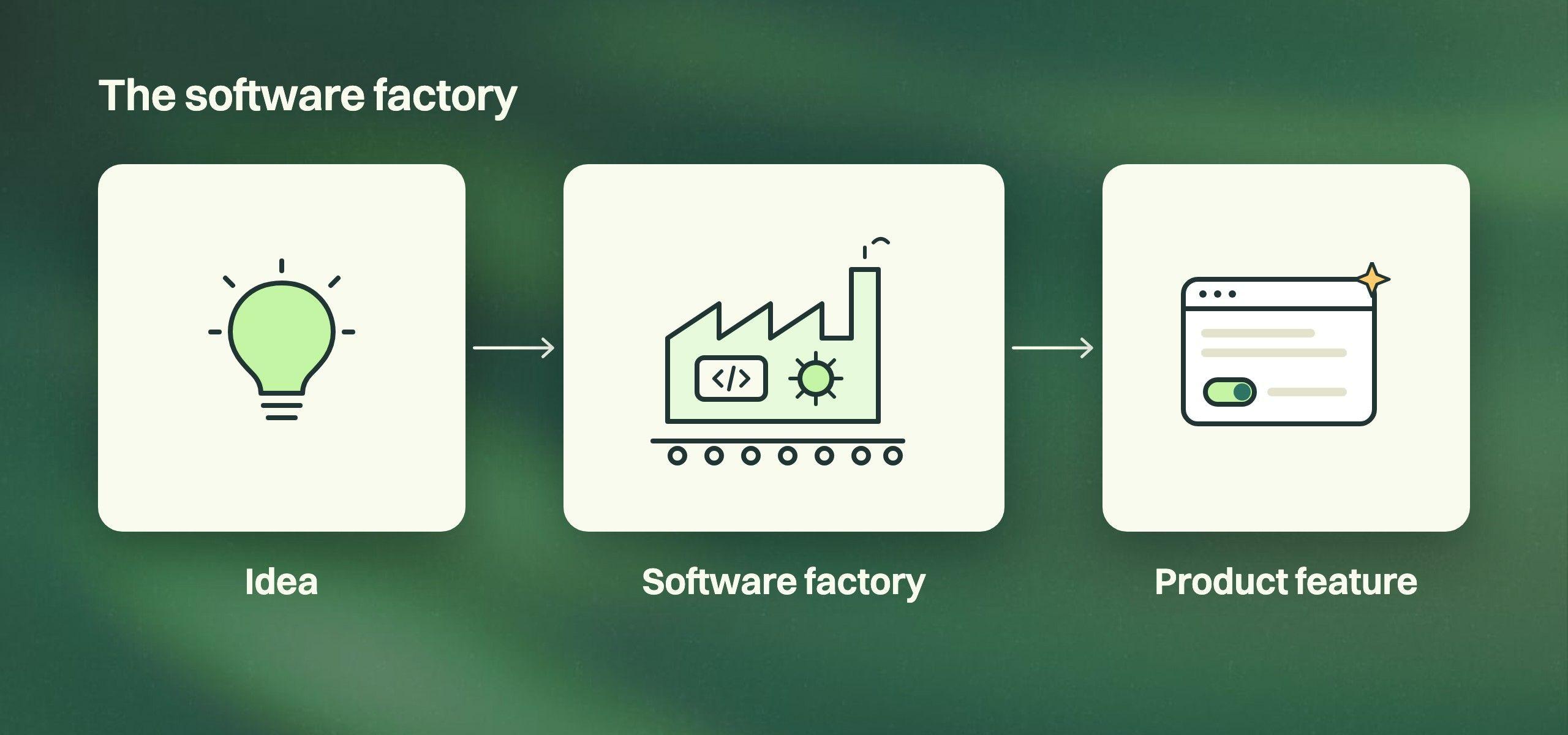
What’s new is the automation of the writing and testing of software (the historically labor-intensive part). The changes we’re witnessing in software are similar to those that occurred in manufacturing. The Ford Model T was built in a factory on an assembly line with automation built around and supporting a labor-intensive process.
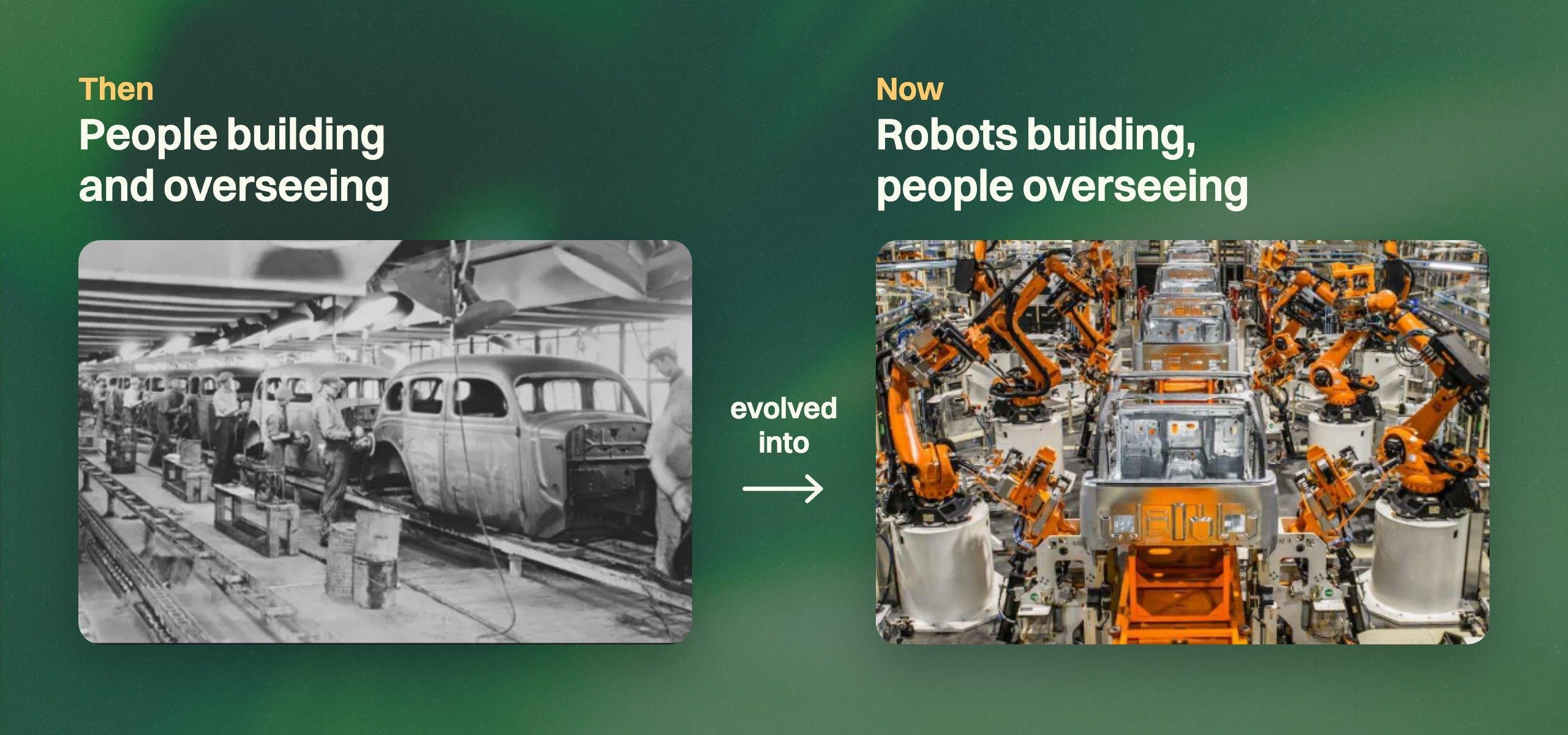
However, as automation increasingly took on more and more of the labor-intensive parts, new bottlenecks appeared and needed solutions to speed up the factory’s assembly line.
In the software factory, the introduction of coding agents (Grove uses Claude Code) has similarly sped up the most labor-intensive part of the process. As such, new bottlenecks in the software assembly lines have appeared.
That is what this post will be mostly about. We will cover the main bottlenecks that we have seen and outline the techniques that we have used to remove or mitigate them.
The bottlenecks
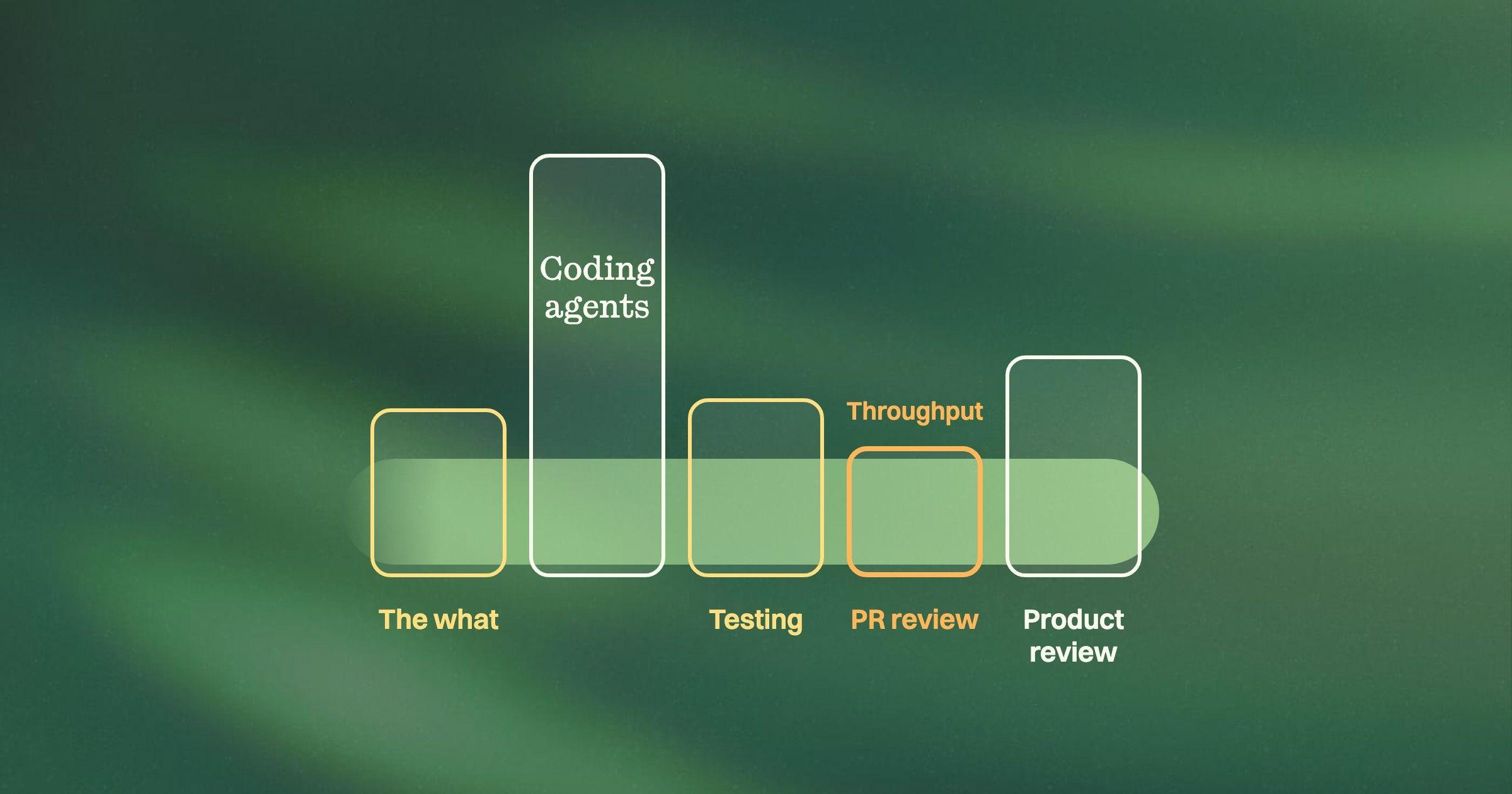
Speeding up the coding didn’t make the whole factory faster. The work just started piling up somewhere else. These are the three bottlenecks we set out to fix.
- The what: getting the coding agents to build what you actually need.
- Parallelism: giving every agent its own full environment, so many features build, deploy and test simultaneously.
- PR review: ensuring the code is high quality without people becoming the hold-up.
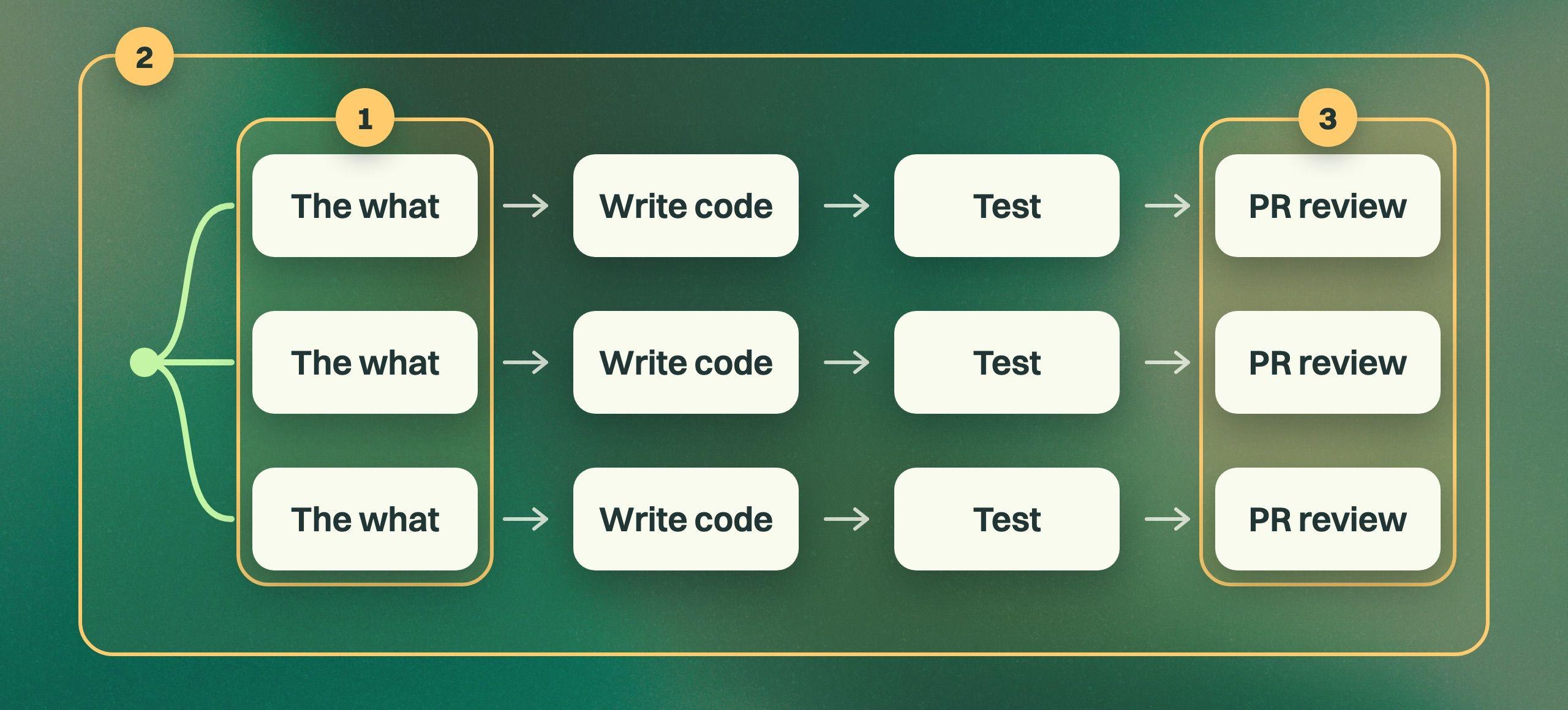
Bottleneck 1: The what
Given that the code can get generated fast, the first problem is having it build what you need, i.e. “the what”.
I won’t spend too long on this one (or this becomes a product pitch, as this is the main problem Grove is solving), but... if your PM and designers don’t spend the appropriate time making coding-agent-ready specs, then you likely have some combination of:
- developers or their coding agents making important product decisions that never reach PM and design
- developers and their coding agents blocked while they chase down product decisions from the PM or designer
- a lot of rework when PM and design finally see what got built
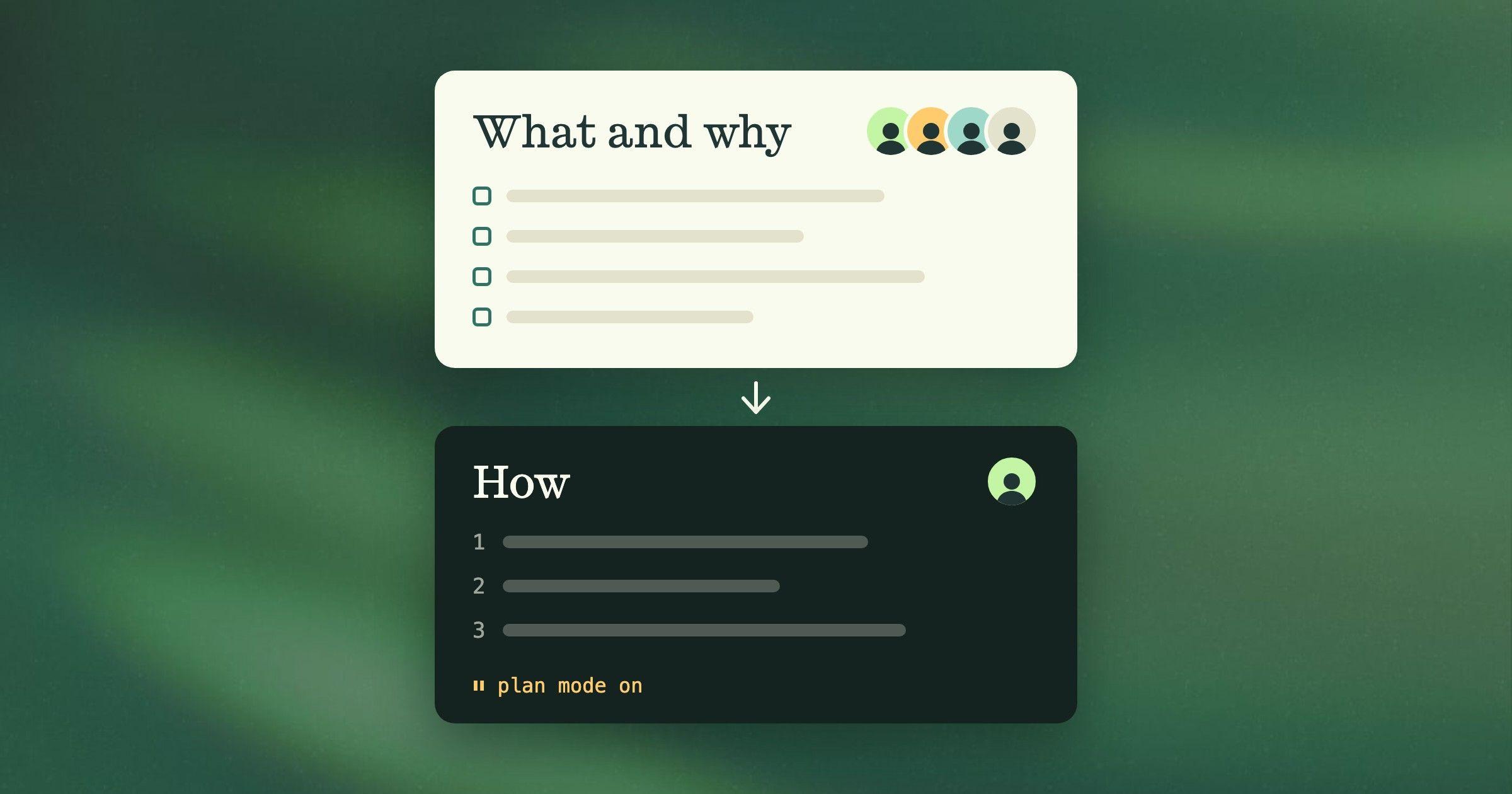
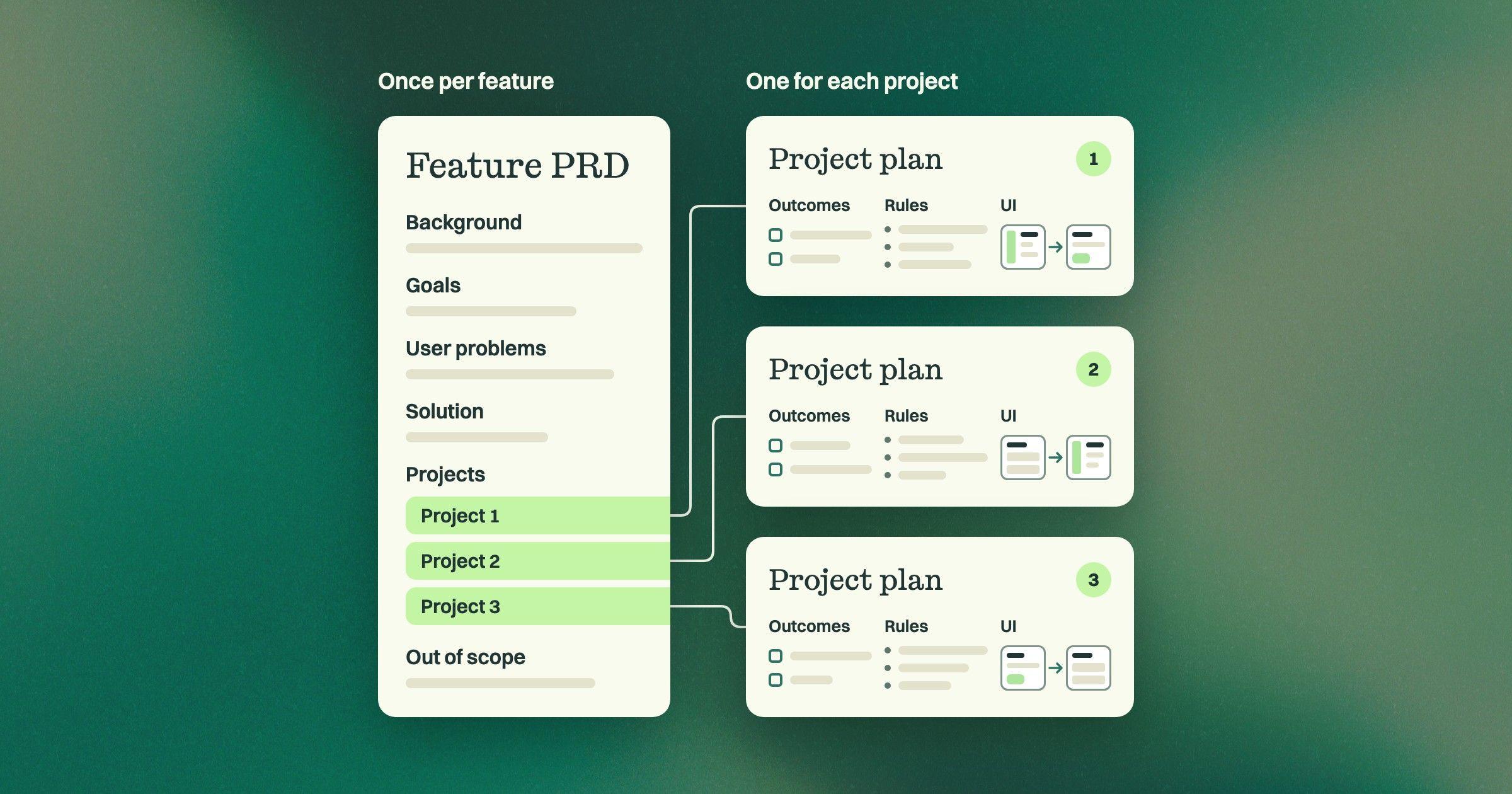
Grove is working well to deliver us coding-agent-ready specs (think of these as markdown + embedded designs) and so we start work like this (the P-544 is a reference to a Grove project, which holds the specs):
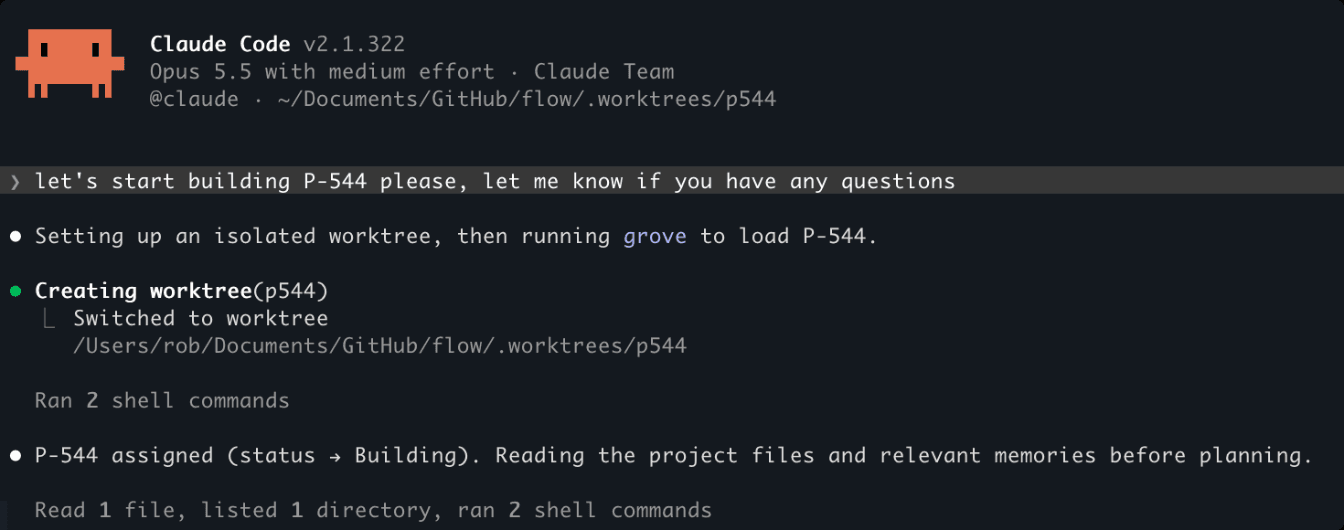
From here the devs (and their coding agents) are mainly concerned with the how (which they have decision rights over) and so things can move fast.
Bottleneck 2: Parallelism is the new norm
The days of working on one thing at a time are over (even if they ever existed), but more than ever now the software factory must be designed for high degrees of parallelism. A single developer now wields an army of coding agents, each likely working on a distinct capability.
My Claude Code, for example, looks like this:
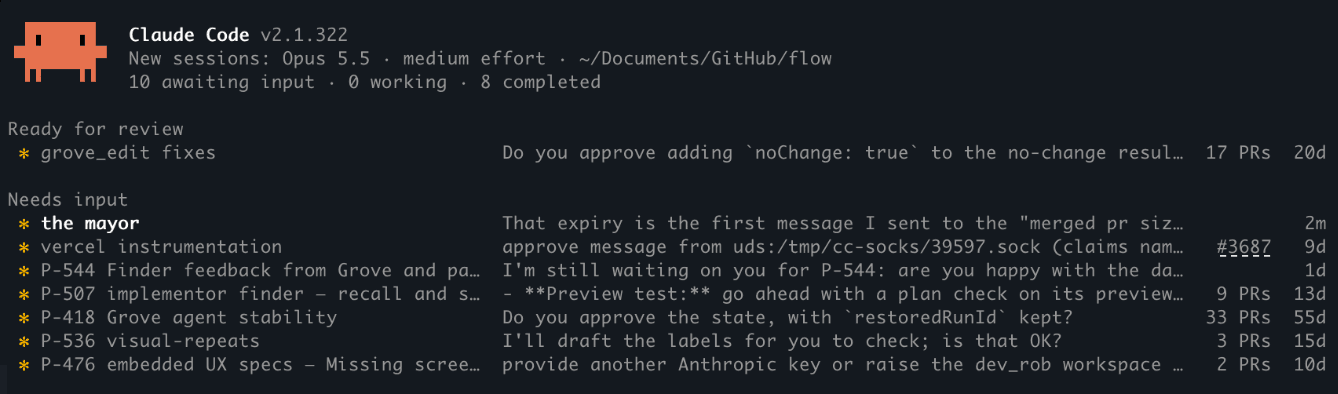
I suspect that everyone is now using worktrees to keep their agents writing code in parallel on their machine. The piece that is harder to set up though is providing the agents isolated full environments to test their work end to end in a real running system.
I was fortunate to inherit all this from the prior CTO. Grove uses Vercel (and Next.js and Workflows et al). The CI was already set up with Vercel’s excellent preview environment capability.
What this gives us is that every time a PR is opened (even in draft), we get a full isolated environment deployed remotely with the code from the PR’s branch. The coding agent knows this and patiently waits for it to be up before exercising the function via playwright-cli. If it finds issues, it rebuilds and pushes the fix, waits patiently and repeats. Only when the coding agent is satisfied does it mark the PR ready, and the PR review process begins.
What this means is that after we have agreed on the technical approach, we can leave the coding agent unattended while it builds and tests and builds and tests, in its own completely isolated worktree and environment.
In short, make sure you have a means to have coding agents code and build and deploy and test in complete isolation (and tell them how to do all this in your CLAUDE.md or equivalent).
Bottleneck 3: PR review
Ahhh, the PR review: what is now the most studied part of the software factory and, yes, the biggest bottleneck on the dev side (assuming you know what you need to build). This is where we have spent the most time, and it still feels like it’s the largest remaining bottleneck.
Let’s assume you are letting your coding agent open up the PR unattended (which we are, see above). Now the problem we are left with is trying to ensure the correctness of the code that the coding agent has produced, and this can be very manual and time consuming.
How do you ensure that the code is bug-free? How do you ensure it hasn’t opened up some new security hole? How do you ensure that it’s structured for the future?
Broadly speaking, we have employed three strategies.
Derisk it
Some bugs are far worse to have in your code than others. If the coding agent adds a route but doesn’t secure it, or lets one tenant’s data leak to another, that’s a pretty catastrophic bug. You can obviously have a coding agent do a review with a checklist looking for that kind of stuff, with all caps instructions like:
IT IS VERY IMPORTANT THAT THE CODE ABIDES BY THE SECURITY RULES OUTLINED IN THIS DOCIf you’re a gambler and feeling lucky, maybe this works 95% of the time. My CEO slings PRs at us now and again and I just don’t feel that lucky.
Instead we have built a suite of deterministic checks that run during the build that will fail the build if, for example, a route is not protected. Essentially the architecture that protects critical aspects is enforced via a mix of ESLint, Dependency Cruiser and brand rules. Internally we call this Trellis, and I will have much more to say about it in a follow-on post.
In short, coding agents (especially my CEO’s) can’t sneak stuff in that violates critical parts of the architecture without sirens and flashing lights going off. So even if bugs do slip through the PR review process, we can sleep a little more soundly knowing that they are not the high-risk kind.
Combine human and automated reviews
Coding agents are way better at finding low-level issues in the code, and humans are way better at knowing when the code is poorly structured or when a fundamentally poor architectural decision has been made. As such, all the PRs we have go through a process that includes both.
The first gate is CodeRabbit. I’ve spoken to a lot of folks who set up their own code review as part of some automated pipeline using Claude’s code review, and this works. The thing that we found is that CodeRabbit seems to have fewer nits, and you can lose your mind having these agents loop around and around finding and fixing nits or imaginary bugs. I do like the fact that CodeRabbit mixes deterministic and probabilistic checks and actively measures and tunes their overall system, actively trying to reduce nits.
Once a PR is CodeRabbit clean (meaning either the threads have been answered or the issues have been fixed), it undergoes a human review. The review is deliberately high level and is focused on the structure of the code and the architectural patterns the PR contains.
Our “mayors” (more on them below) prepare briefs for us about the PR, and then we Q&A with our mayors to understand it and potentially ask for structural changes. It is exceptionally rare that we look at the PR or the code (putting aside changes to Trellis).
Mixing automated and human reviews still seems like it’s required. We’re not yet comfortable enough to skip the human part, as we keep finding things, but I do think our attention is where it matters more now, i.e. high-level structure vs. low-level correctness.
Automate and optimize for developer attention
Early on we were spending a lot of time juggling our attention between reviewing others’ PRs and responding to issues found in our own PRs. This juggling and context switching is exhausting, especially when you are polling to figure out what PR reviews you owe, then spinning up a new session to review it, etc. etc. The overhead of finding, prioritizing and then reviewing became a significant impediment to our productivity.
In July we discovered Beads and Gas City (although you can do a lot of this with raw Claude Code now). What appealed to us was Gas City’s notion of a mayor: a single authoritative session that is our point of contact into many other sessions. We ask the mayor for things and it delegates; when we need to pay attention to something, it brings it up for discussion.
Gas City can loop shell scripts (called orders) whose output is piped into the mayor’s session. So we can run scripts on a schedule that poll for changes, so that the mayor can either handle them autonomously or bring them to our attention. There is no shortage of things that we have it looking for, and we keep adding to it. A few examples:
- Prepare a PR summary for the PRs we have been assigned to review. This includes a summary of what the PR does, why it is needed and its structure. The mayor writes this to our desk (which we work through as we have time).
- Automatically approving PRs where the changes we asked for have been made.
- Reviewing CodeRabbit or developer feedback on a PR, automatically validating it, and either bringing it to our attention or to the attention of the session that spawned it. I personally don’t like the “automatically fix issues found” feature, as I do think you can get into a never-ending loop, but maybe it’s getting better.
- Kicking off specialized reviews for changes to certain parts of the codebase. For example, if there is a Trellis change, we will run an assessment to ensure that it has not weakened our overall security posture.
- Spotting when one of our PRs has merge conflicts and dispatching an agent to address them.
Developer attention and judgment is still very much required. Automate away as much of the tedium as you can, and have agents prepare, ahead of time, the information that you need to make the decisions that need you.
The results
The number of merged PRs is not a great measure of productivity (it could, for example, be indicative of thrashing on a feature), but it’s likely the best that we have.
The graph below is the number of PRs the team has delivered per month over time. We’ve moved from 36 in February to a new record of 572 in October. All of this is with two engineers and a CTO / engineer (oh, and a PM / Designer and a CEO).
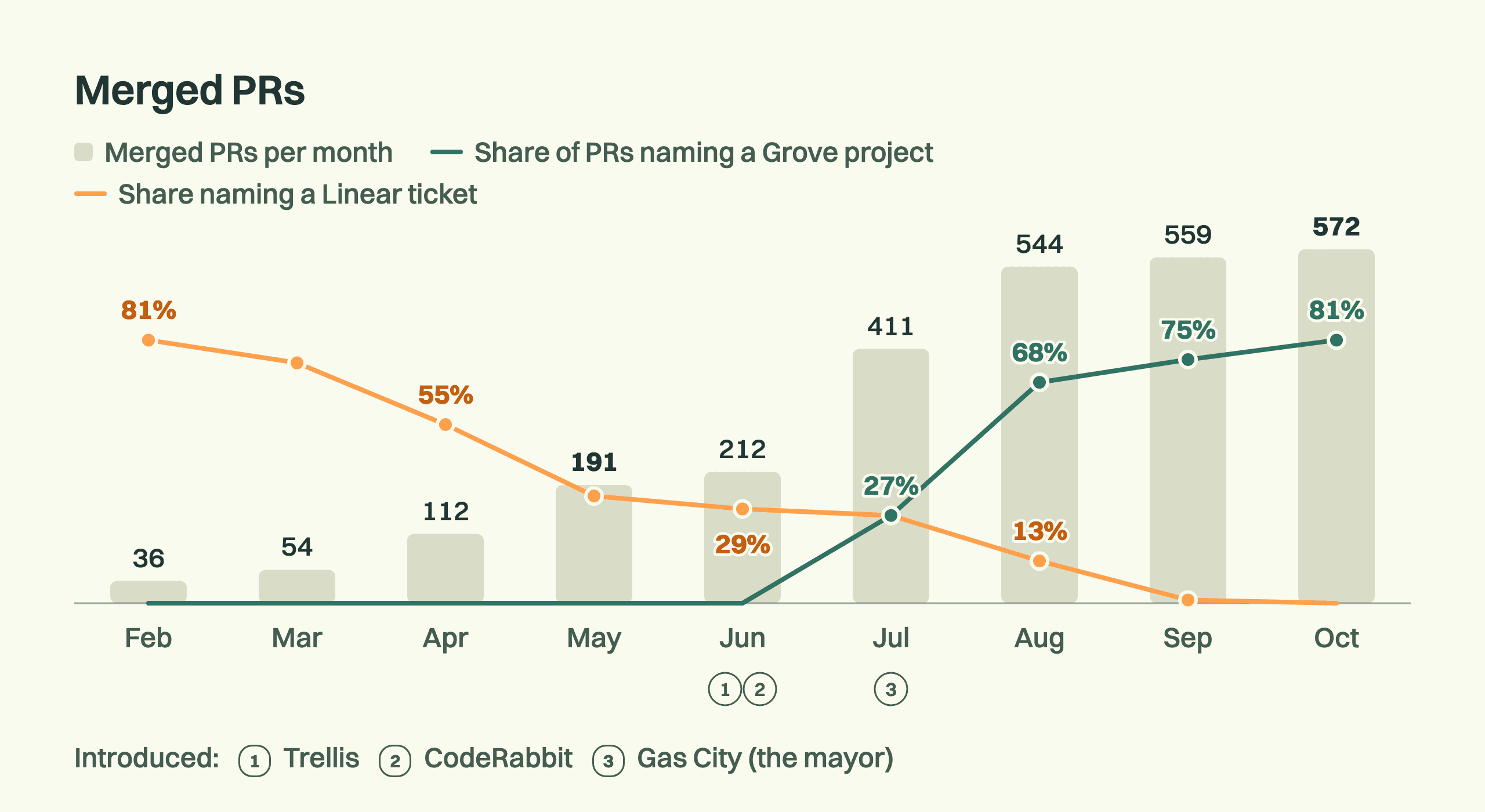
Overlaid on this is the share of PRs that were specced using Grove vs. tracked in Linear tickets (we used Linear before Grove was ready).
I have been amazed by the speed that this small team achieves (and some days it feels a little dizzying). However, I feel certain there are still more gears to be found here. We would love to hear from folks with ideas on the levers we should try next.
Try Grove with
your team
If Grove fits, you get two weeks
free on what you’re building now.

Written by
Rob Yates
I write about running a software factory: how we set up coding agents at Grove, what they need from a spec, and how we check what they build.