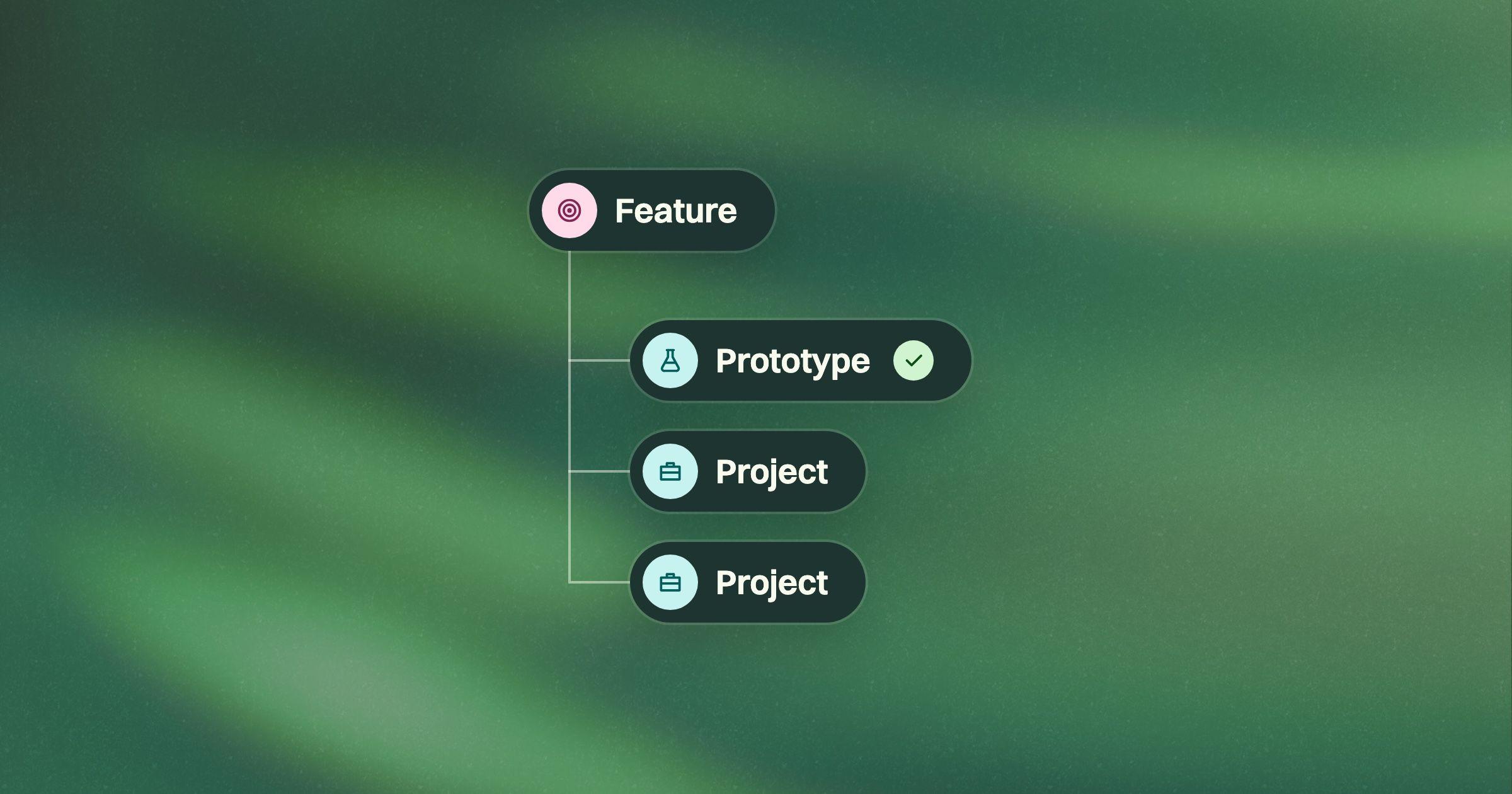
A PRD template for coding agents
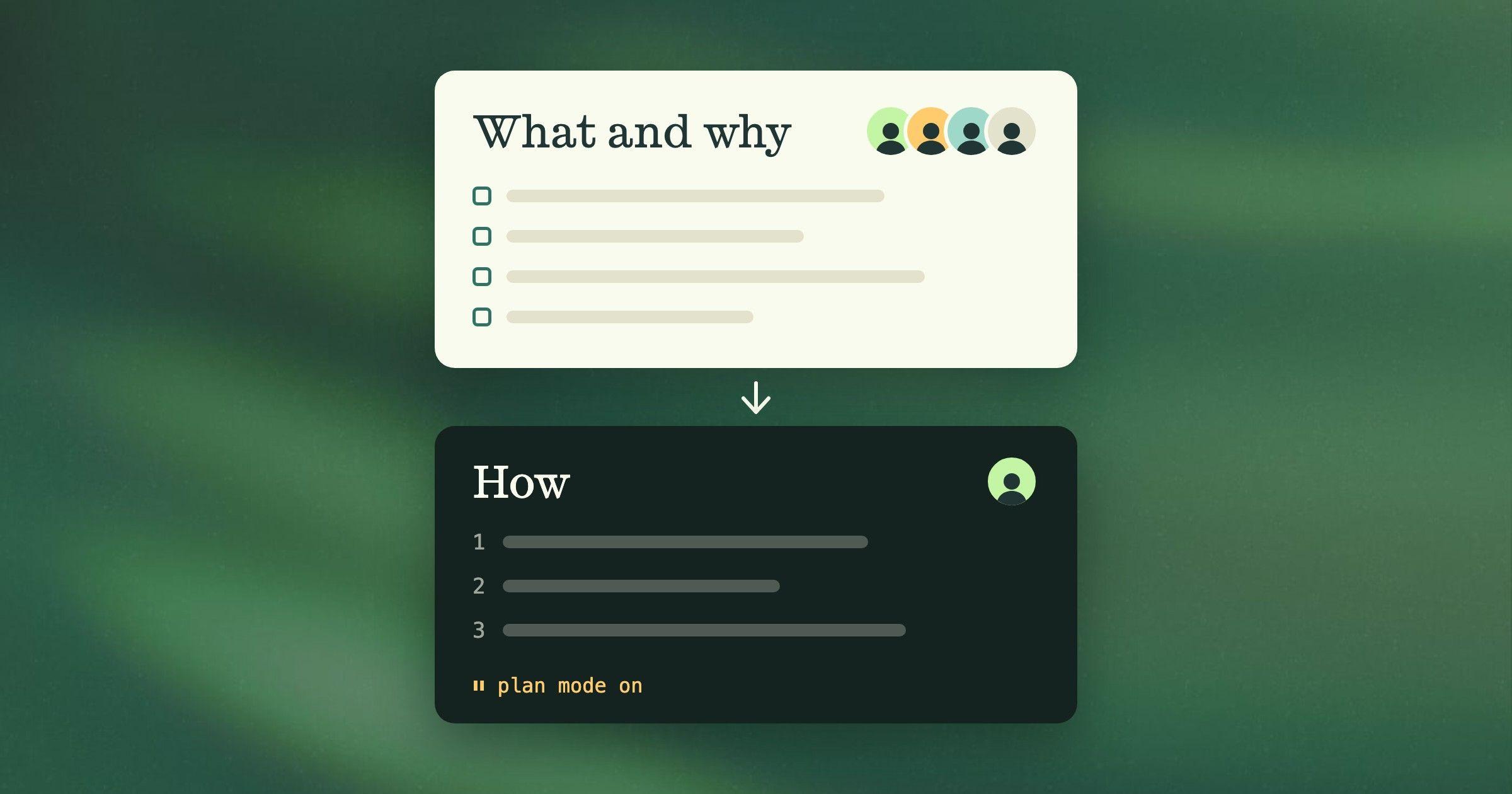
The typical PRD was written for a team that talks. For coding agents, keep it for the whole feature, then break it into small projects. PRD template included.
 Blake McGregor · 6 min read
On this page
As we build Grove, we want our developers and their coding agents to plan the build and get it right the first time, without a bunch of rework. Longer term, we’re striving for more of a “software factory,” where agents run the whole build and developers only step in to review technical plans and pull requests.
We’ve tried just about every way to tell a coding agent what to build: a one-page, high-level PRD; a working prototype as the spec, with and without a PRD; detailed Figma designs alongside a PRD; and detailed tickets with acceptance criteria, tied to a PRD and designs. None of it got us there.
Here’s what went wrong, and what we do now. The PRD template we use is at the end.
A product requirements document (PRD) says what a product or feature has to do and why: who it’s for, what should be true once it ships, and the rules it has to follow. It says what to build, not how to build it.
Why doesn’t the typical PRD work with coding agents?
The typical PRD was written for a team that talks. The document itself is short: today’s guides say one to three pages for a feature, which matches what I see. It could be short because most of the decisions were never in it. They got made in conversation.
A good PRD took weeks to write, with rounds of review along the way. Then engineers asked about the gaps for the weeks it took to build. The process was slow, and the slowness did real work: every pause was a chance for someone to catch a choice nobody had thought through.
A coding agent takes all of that away. It builds the same afternoon, and where the PRD leaves a gap, it makes a reasonable assumption instead of asking. Everything we tried ran into one of two problems.
Too vague, and you get tons of rework. A one-page PRD leaves most of the decisions out, so the agent makes them for you. A prototype looks more complete, but the agent takes everything in it as already decided and builds a lot you didn’t expect. We once handed our developers a prototype of a new navigation and said “just build this.” More than a hundred pull requests later, we were still making decisions we should have made up front.
More detail gets better outcomes, but overhead is a nightmare. Working out every little product decision up front is a lot of effort, and most people would rather figure it out as they go. But a coding agent doesn’t wait: whatever you haven’t decided, it decides, and you find out in the pull request.
If you do work it out, it has to be written down somewhere. Figma designs take too long to make. Detailed tickets scatter the decisions: each one lands on the ticket for its own piece of the work, so the decisions for one feature end up spread across every ticket it touches. Nobody can see the full story anymore, and neither can the agent. And every time a decision changes, the PRD, the tickets and the designs all have to change with it.
So the detail has to be there. Every decision has to be made, written down and kept in one place before the agent starts. Otherwise you get either a generic product or a round of rework to fix it. The trick is doing that without the overhead.
How do you write a PRD for coding agents?
In two levels.
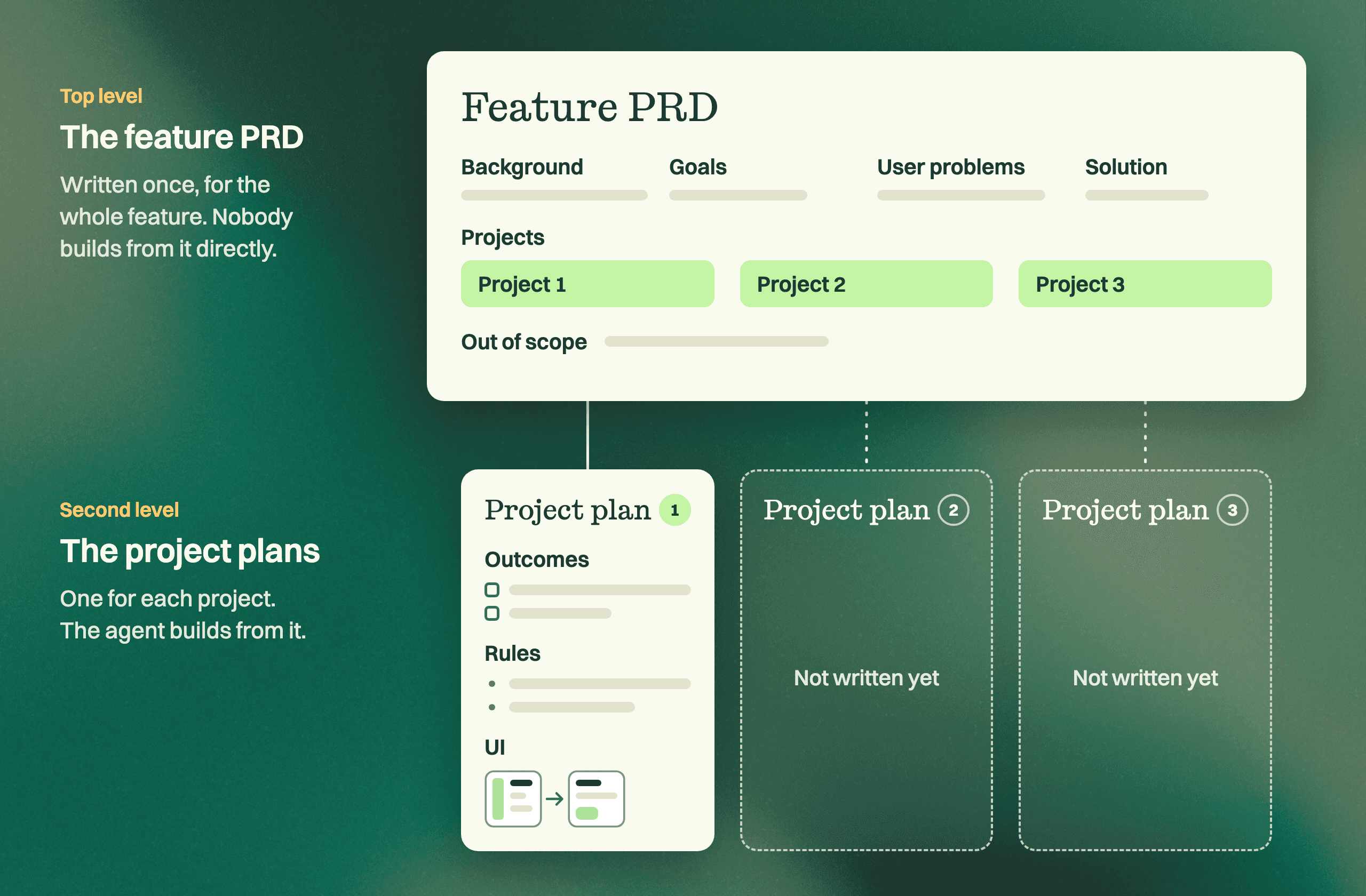
The top level is the PRD you already know. We still write it, once, for the whole feature. It has the sections you’d expect: background and business need, goals, target users and their problems, a solution summary, and scope.
Nobody builds from this level directly.
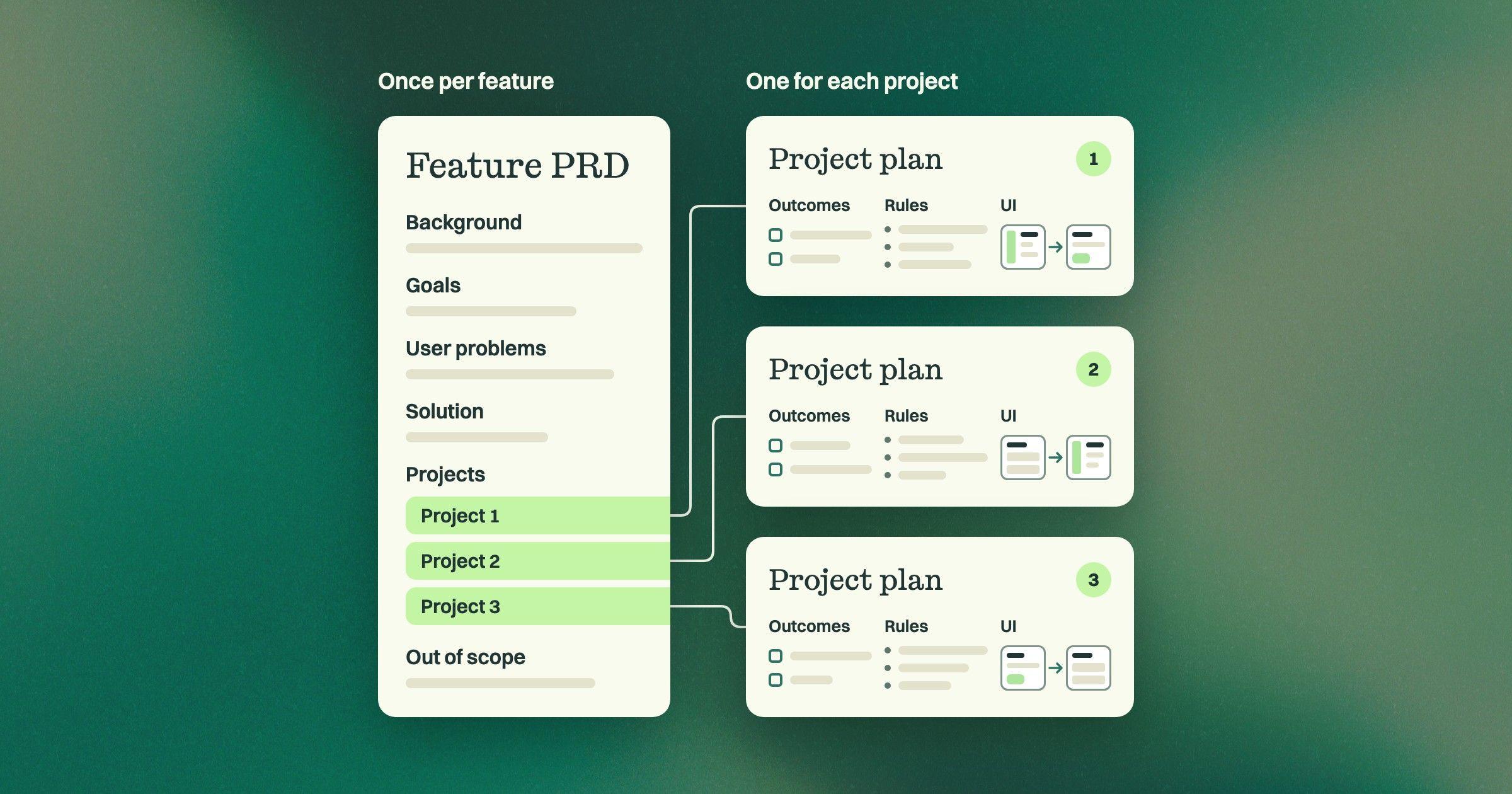
Then you break it into projects. A project is the smallest slice of user value that can ship on its own. Cut by what a user gets, not by component, because “the backend” can’t ship or be judged alone. Put the projects in an order you can give a reason for: the most critical problem first, or the riskiest piece, or the one the others depend on. You still get to figure it out as you go: you only think one project through at a time, right before it’s built.
Each project holds only what its builder needs. It has three parts:
- Outcomes. One to three, each saying what a person can do once it ships.
- Rules. The decisions the agent can’t make from the outcomes and the code. For example: “When a move targets a folder the person can’t edit, the move is refused and nothing changes.”
- UI. Where the UI is the decision, we draw it in HTML with our existing components. Its caption says what it settles and what’s only illustrative, so the agent doesn’t take a rough layout as decided.
All of a project’s decisions stay in that one document, and nothing from the top level is repeated. When a decision changes, it changes in one place.
Every line has to pass one test: if you deleted it, could a capable agent build something different? If not, cut it.
Send agents your project plan, not tickets
A typical PRD stays high level, and the detail gets added later in tickets. We don’t do that. The detail goes in the project plan, and the agent builds from the plan.
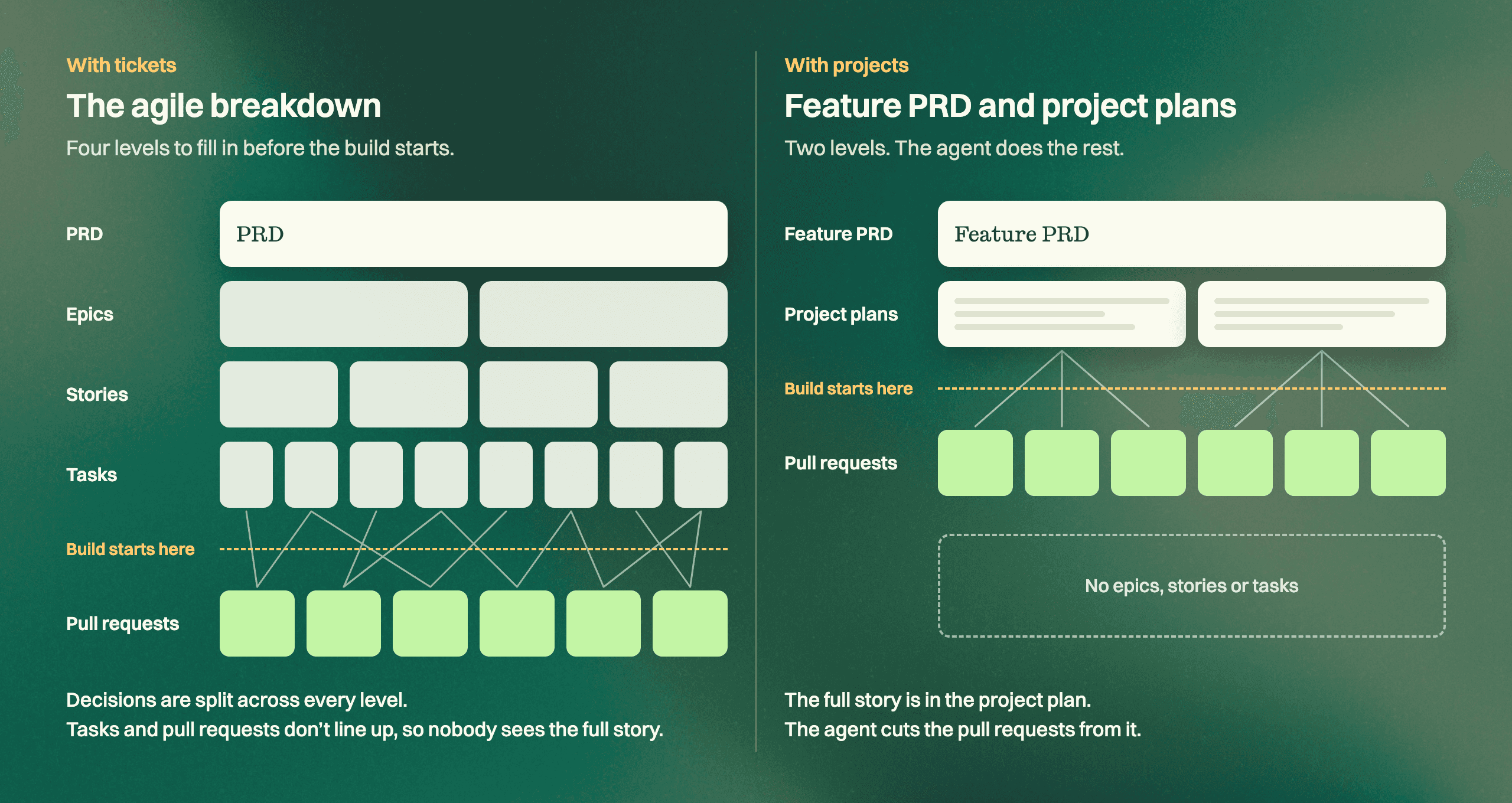
On paper that still looks like agile: a PRD on top and smaller pieces underneath. The difference is who the pieces are for. Tickets cut the work into pieces one person can take on in a few hours or days. A coding agent doesn’t need pieces that small. It can take in far more than a person can and break the work into a stack of pull requests itself, as long as you’re specific enough.
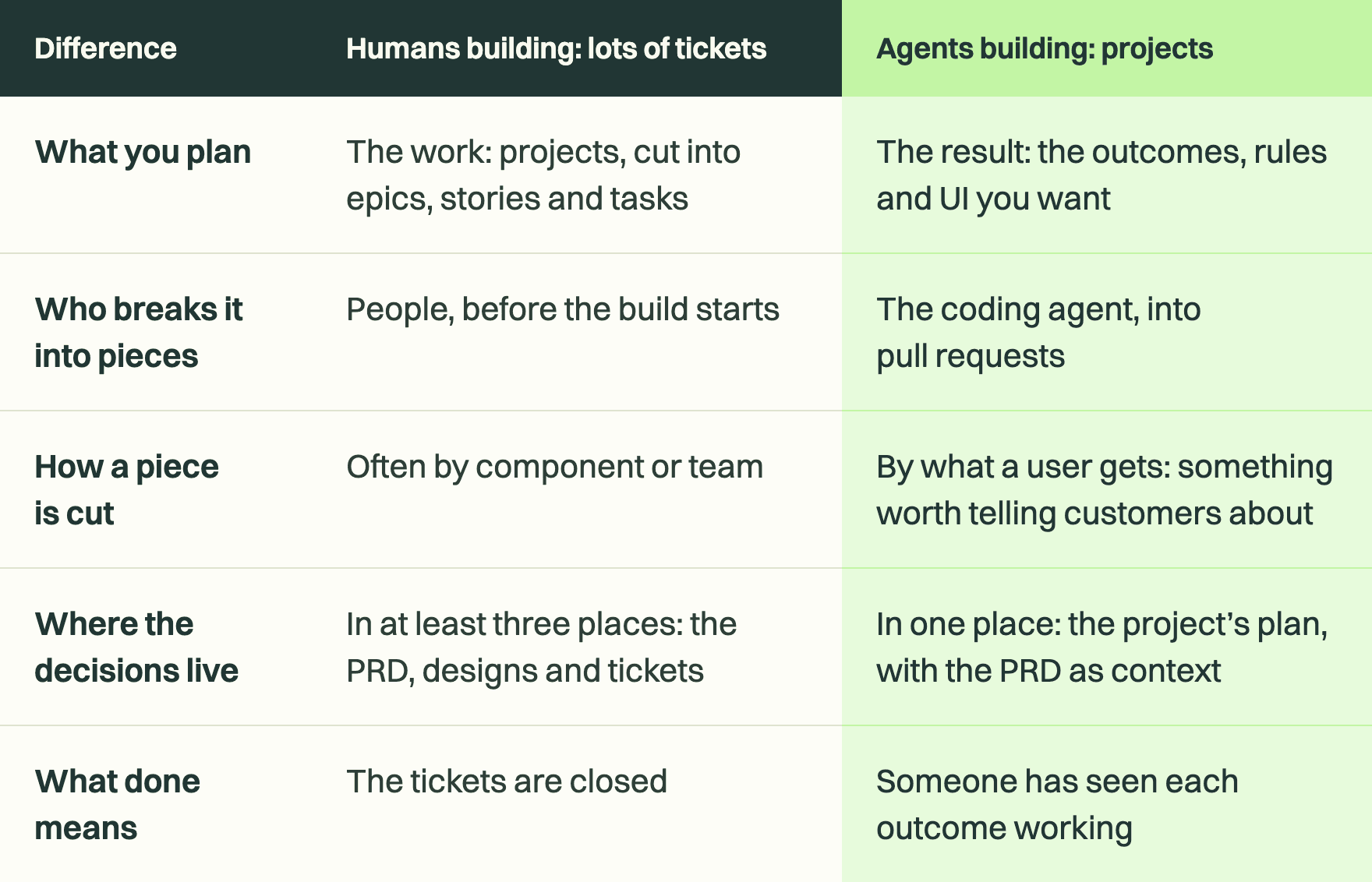
So the breakdown stops at the project. A project isn’t a folder of tickets, the way an epic is. It’s one plan for something valuable enough to tell your customers about, anywhere from a couple of pull requests to about twenty. You write the outcomes, rules and UI you want. The agent works out the rest, and developers review its plan and its pull requests. That’s the step toward a software factory.
It also puts the full story back in one place. With tickets, the decisions for a feature are scattered across every ticket it touches. With a project plan, a person or an agent reads one document and sees everything that was decided.
None of this means dropping your tracker. A project can still be a line in it. It just doesn’t need twenty tickets under it.
From our workspace: a PRD example
One of our features in Grove is called “Strategy has a home.” Its top level names four problems for a founder or head of product, starting with “Nobody visibly owns the strategy,” and lists six things we won’t build. It holds six projects. See the whole feature.
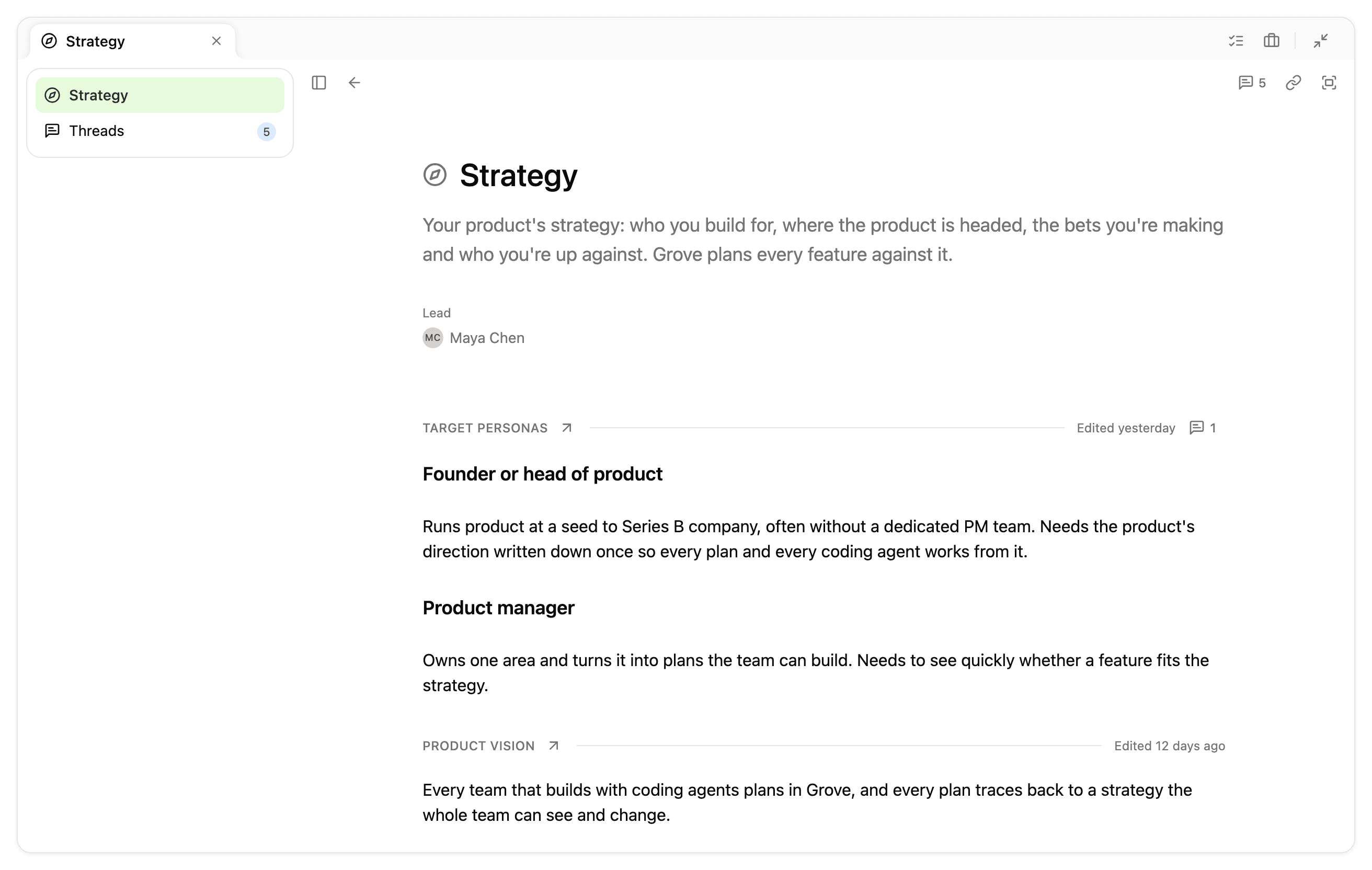
One of those projects puts the whole strategy on one page. It has two outcomes and four headings of rules, with the UI drawn in HTML. It has no background section, because the feature already holds the why. See the project, with its UI.
Before anyone built it, Grove’s plan check read it against our code and raised a question about links between strategy documents on the new page. The rule now says a link scrolls to its target on that page. The developer’s coding agent reads that decision and never has to guess.
The PRD template
The template is two Markdown files, one for each level.
Feature PRD template
The top level, written once for the feature. Download it as Markdown.
# [Feature name]

## Background and business need

- **Business context:** [The market, competitor or strategy behind this.]
- **Opportunity:** [What we stand to gain.]
- **Urgency:** [Why now, and what happens if we don't act.]

## Goals

- [What should change if this works, stated so you can tell whether it did.]

## Target user problems

### Primary user: [role]

1. **[Problem short name].** [How it shows up and what it costs them.]
2. **[Problem short name].** [How it shows up and what it costs them.]

### Secondary users

- **[Role]:** [Their relationship to this, and their key pain point.]

## Solution summary

[Two or three paragraphs on the approach. Name the problems each part answers.]

## Projects, in order

1. **[Project name].** [The outcomes it delivers, and why it goes first.]
2. **[Project name].** [The outcomes it delivers.]

## Out of scope

- **[Capability].** [What won't be built, where someone would reasonably expect it.]
Project plan template
One of these for each project. Download it as Markdown.
Outcomes come first, and Non-goals and Open questions come last. The rules and UI go under headings in between, each named for the decision it settles.
To find those headings, look for:
- A concept the product doesn’t have yet
- A screen or flow that changes
- Who may do what
- The edges: empty, failed, two people at once, too many
# [Project name]

## Outcomes

- [ ] **[Short name].** [A named user] [finishes something they set out to do].
- [ ] **[Short name].** [One sentence, same shape.]

## [What this heading settles]

- When [condition], [what the product does and what the person sees].
- [A rule with no condition holds always. Check that it does.]

[An HTML mockup, a table or a diagram where the decision is easier to show.
Its caption says what it settles and what is only illustrative.]

## [What the next heading settles]

- [One rule per line, checkable against the running product.]
- *Open: [a decision nobody has made yet]? Blocks [what]. [Who] decides.*

## Non-goals

- [What this project leaves alone, only where a builder would expect otherwise.]

## Open questions

- [A decision that belongs to no heading.] Blocks [what]. [Who] decides.
One thing to try
Take your last PRD and pull out the smallest piece that could ship on its own. Write its outcomes, then list the decisions a coding agent would have to make that the PRD doesn’t. Those are the headings of your first project.
You can do all of this by hand with the two templates. Or Grove does it with you: it writes the feature PRD and each project’s plan with your team, and checks each plan against your code before anyone builds.
Try Grove with
your team
If Grove fits, you get two weeks
free on what you’re building now.

Written by
Blake McGregor
I write about what leading a product means now that coding agents do the building: deciding what deserves to exist, who gets to decide it, and how a team carries those decisions all the way into what ships.