Strategy overview for teams
Outcomes
- Work on the whole strategy in one place. A founder or head of product opens Strategy, reads all four documents on one page, sees which are written and when each last changed, and edits any of them right there.
- Start the strategy from an empty workspace. A founder or head of product in a workspace with nothing written yet is invited to set up the strategy with Grove, right where they expected to find it.
Where Strategy opens
The screens below show every state: the page partly written and with nothing written. Their copy is final.
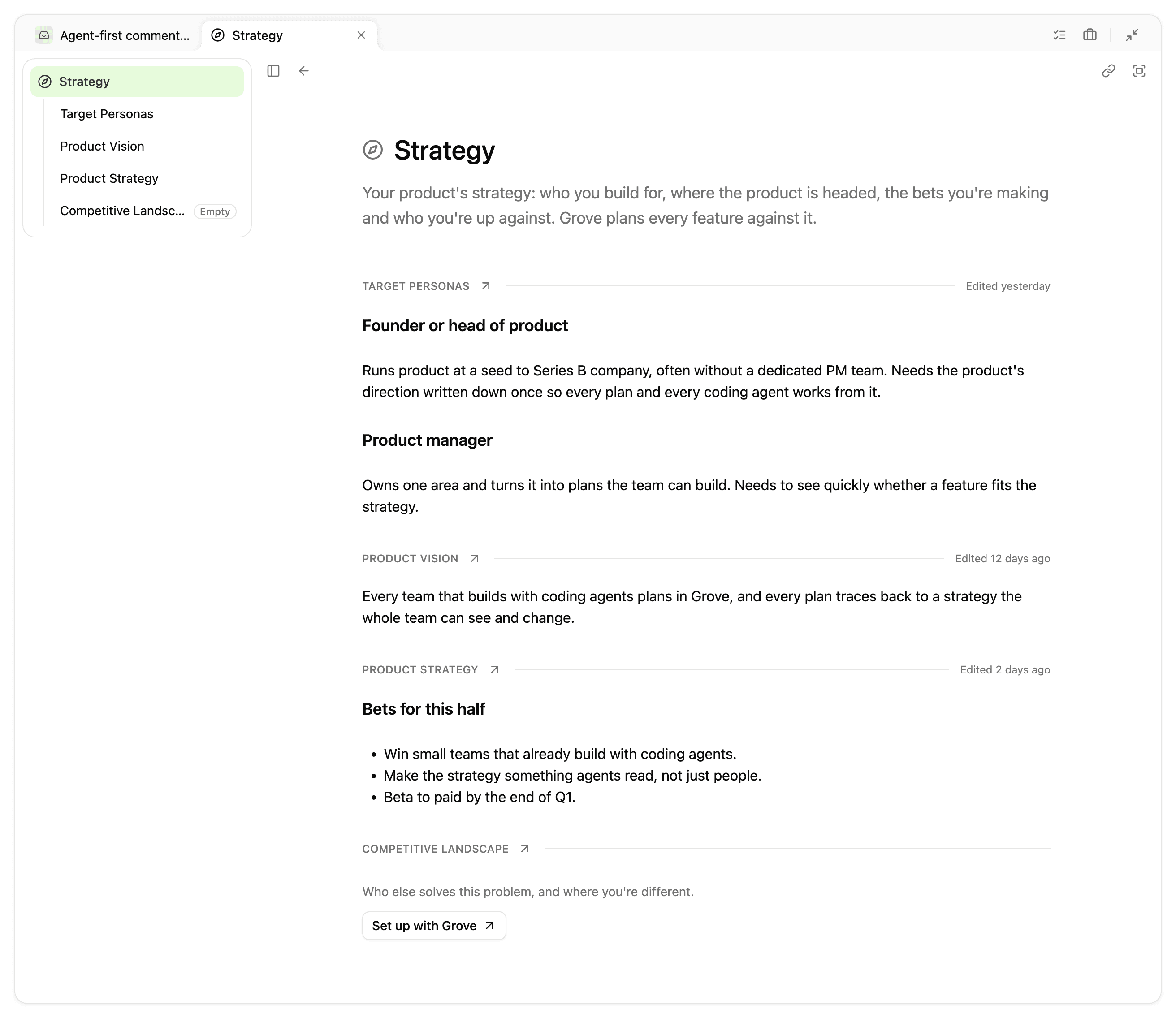
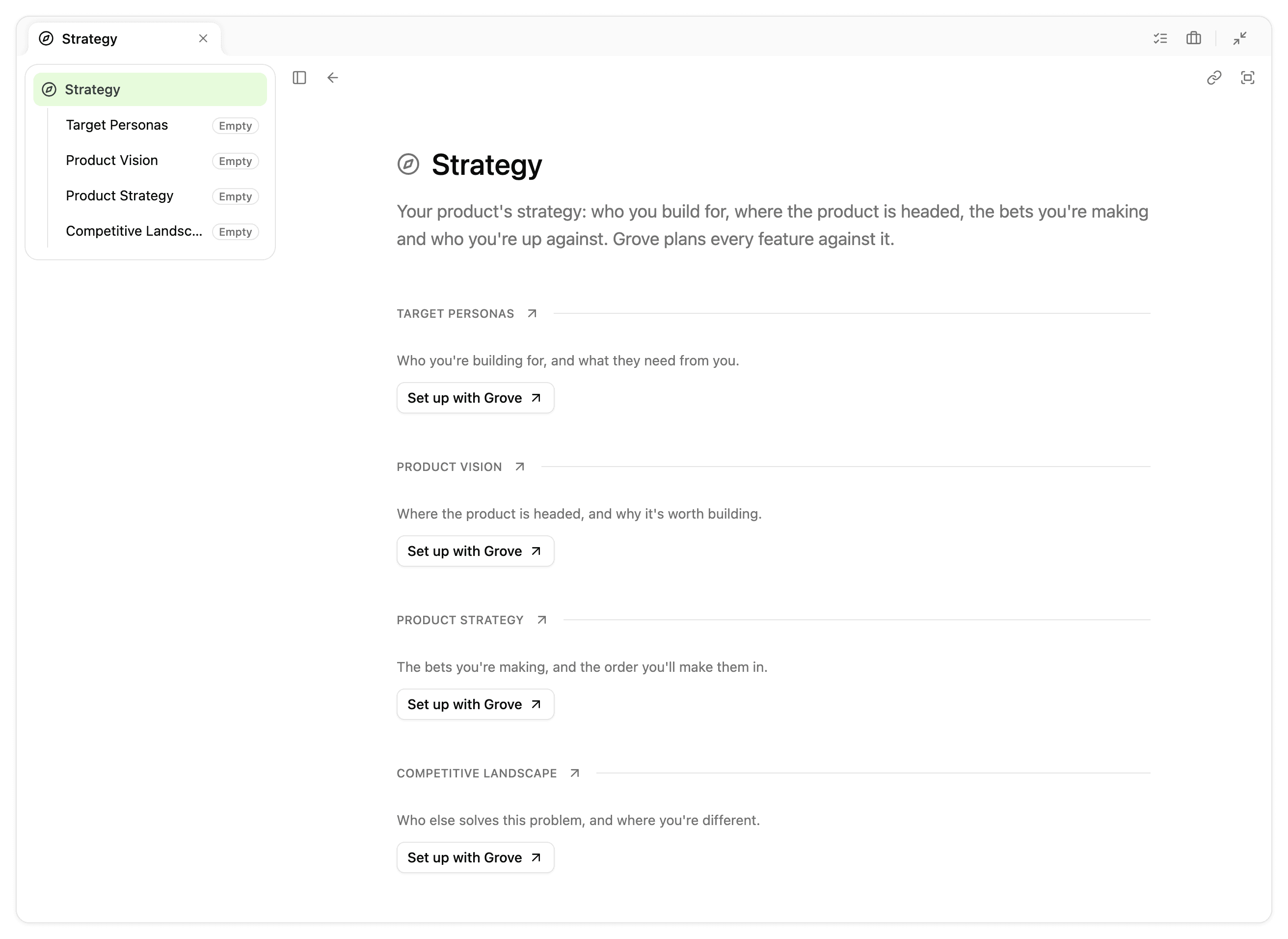
- The Strategy tab opens the Strategy page every time, whichever strategy page was open last.
- Strategy is the sidebar’s first row. Pressing it opens the Strategy page, and its fold control shows or hides the four documents beneath it. Each opens on a page of its own. There is no Overview row.
- A document that isn’t written yet carries the “Empty” tag on its sidebar row, as a project’s plan documents do.
The Strategy page
- The page is titled “Strategy”, with Strategy’s plain compass icon beside it, the way a project’s plan page is titled “Plan”.
- The four documents follow the description, in the sidebar’s order. Each opens on a rule carrying its name and “Open full page”, with its full content below, edited in place.
- On the Strategy page, a link from one strategy document to another, or to a heading in one, scrolls to it on the page, as such a link does on a project’s plan page. On a document’s own page it opens the linked document, as today.
What the page shows
- A document is written once it holds anything other than its starting prompt, the same test the setup checklist uses.
- A written document’s rule shows when it was last edited, in relative time (“Edited 2 days ago”). It doesn’t say who: that stays in the “Edited” readout on the document’s own page and in version history.
Before anything is written
- An unwritten document shows an empty state in place of its content: a sentence on what the document is for and “Set up with Grove”. Its rule shows no date.
- Anyone can also start writing straight into an unwritten document, as on a project’s plan page.
- With nothing written, all four documents are in that state. There is no separate invitation.
- Every “Set up with Grove” starts the same strategy setup as the setup checklist’s, and any workspace member can start it.
Non-goals
- The strategy lead belongs to the next project, Strategy lead for teams. Until it ships, the page has no details strip.
- The page has no “What needs attention” panel.
- The page doesn’t say who last edited a document.